3D mapping software converts a real environment into a measurable digital model, yet the right tool depends on the input and the job. A drone pilot, an interior photographer, a surveyor with a LiDAR scanner, and a product team building a digital asset may all search for the same phrase while needing different software.
This ranked guide explains what 3D mapping is, how a 3D map is created, and compares seven current 3D mapping software tools across drone video, drone and ground photographs, LiDAR, 360 capture, phone scanning, indoor documentation, and point-cloud processing. The ranking is a workflow fit guide. Prices and published product capabilities were re-checked against vendor pages on October 14, 2026.
Key Takeaways
- 3D mapping turns video, photos, or laser scans of a real place into a measurable 3D model; 3D mapping software does the processing, measuring, and sharing.
- SkyeBrowse is the first tool to review for video-first outdoor mapping, with cloud processing, model measurements, and plan-dependent exports from continuous video. Its videogrammetry is more accurate than photo-based photogrammetry.
- Pix4D and Agisoft Metashape are photo-centered choices for teams that need desktop or cloud photogrammetry workflows with detailed output controls.
- RealityScan (formerly RealityCapture) handles image and laser-scan inputs in one reconstruction environment, while CloudCompare focuses on viewing and processing existing point clouds and meshes.
- Matterport is built around interior spaces and navigable digital twins, while Polycam is built around phone, photo, video, 360, and mobile LiDAR capture.
- Price comparisons need the unit of purchase: model credit, monthly plan, perpetual license, active space, annual seat, or free open-source software with local compute.
Contents
- What is 3D mapping?
- How do you create a 3D map?
- What is 3D mapping software?
- How do the top 3D mapping tools compare at a glance?
- How did we evaluate these 3D mapping tools?
- What are the best 3D mapping software platforms in 2026?
- How do these tools compare by input type?
- What outputs and export formats does each platform support?
- How much does 3D mapping software cost in 2026?
- Which 3D mapping software fits each workflow?
- What should you test before choosing a tool?
- When was this guide updated?
- Related Guides
- FAQ
What is 3D mapping?
3D mapping is the process of capturing a real place or object and turning it into a measurable three-dimensional digital model, such as a point cloud, textured mesh, or elevation model, tied to real-world scale and often to GPS coordinates. The data comes from drone or phone video, overlapping photos (photogrammetry), or laser scanning (LiDAR), and 3D mapping software processes it into a model you can measure, annotate, and share.
A 2D map shows a place from straight above, like an orthomosaic or a floor plan. A 3D map adds height and shape, so you can measure a roof pitch, a stockpile volume, a building facade, or the distance between two points at a crash scene from any angle. That is why 3D mapping technology now shows up in public safety, construction, insurance, surveying, real estate, and facilities work.
| Type of 3D mapping | Typical capture | Common output | Example use |
|---|---|---|---|
| Drone (aerial) 3D mapping | Drone video or overlapping photos | Point cloud, mesh, orthomosaic, DSM | Crash and crime scenes, roofs, construction sites |
| Terrestrial LiDAR scanning | Tripod or handheld laser scanner | Dense point cloud (E57, LAS) | As-built surveys, plant and facility documentation |
| Mobile and phone 3D mapping | Phone video, photos, or phone LiDAR | Mesh, floor plan | Rooms, objects, small areas |
| Indoor digital twins | 360 camera or dedicated interior camera | Navigable walkthrough, floor plan | Real estate, facilities, insurance interiors |
| 3D GIS and city maps | Satellite, aircraft, or existing datasets | 3D city models, terrain, tiles | Planning, visualization, navigation |
Google Maps and Google Earth show 3D buildings and photorealistic 3D views in many cities, and GIS platforms such as Esri ArcGIS display 3D scenes. Those tools visualize data someone else captured. To map your own site with measurements you can trust, you capture it yourself and process it with reality-capture 3D mapping software like the tools ranked below.
How do you create a 3D map?
To create a 3D map, plan the area and the deliverable, capture overlapping coverage with a drone, phone, camera, or LiDAR scanner, process the data in 3D mapping software into a point cloud and mesh, check scale and georeferencing against a known measurement, then measure, annotate, and export. With a video-first platform like SkyeBrowse, capture is one continuous video and cloud processing takes about one minute per minute of video.
- Plan: define the area, the outputs you need (3D model, 2D map, measurements, exports), and the accuracy the deliverable must meet.
- Capture: fly or walk smooth, overlapping coverage. Move around the subject rather than panning in place, keep zoom locked, capture from several heights and angles, and avoid glass, water, mirrors, and blank surfaces. Flying closer raises accuracy.
- Process: upload to 3D mapping software, which aligns frames, reconstructs a point cloud, and builds a textured mesh and orthomosaic.
- Verify: georeference with drone GPS data (for DJI, the .SRT subtitle file) or control points, and check a known-size object or tape measure in the scene.
- Use: measure distances, areas, and volumes, annotate, share a link, and export LAZ, GLB, OBJ, or GeoTIFF files for CAD and GIS.
For a drone-specific walkthrough, see the drone mapping guide.
What is 3D mapping software?
3D mapping software reconstructs physical spaces, objects, or sites into digital models that can be measured, reviewed, annotated, and shared. It may ingest video, overlapping photographs, LiDAR point clouds, 360 imagery, phone depth data, or several of those inputs together. Common outputs include point clouds, textured meshes, orthomosaics, elevation models, floor plans, digital twins, and format-specific exports.
Photogrammetry derives three-dimensional geometry from overlapping images. LiDAR records distance from laser pulses and produces a point cloud. A digital twin is a digital representation of a physical space that can be revisited, shared, or connected to other project information. These labels describe different parts of the workflow, so a platform can be excellent for one and a poor fit for another.
The USGS National Uncrewed Systems Office provides a useful reference for aerial data programs, while NIST's Cyber-Physical Systems program places digital models in the broader context of connected physical systems. For the drone-specific capture and platform decision, use the drone mapping software guide. This page stays platform-agnostic and focuses on the input, output, and workflow decision.
How do the top 3D mapping tools compare at a glance?
SkyeBrowse is the fastest path from drone or phone video to a measured 3D model, Pix4D and Agisoft Metashape lead photo-based mapping, RealityScan handles mixed photo and laser-scan projects, Matterport leads interior digital twins, Polycam covers phone capture, and CloudCompare is the free tool for working with point clouds you already have.
| Tool | Best for | Main input | Runs on | Starting price (October 2026) |
|---|---|---|---|---|
| SkyeBrowse | Video-first outdoor and scene mapping | Drone, phone, or 360 video | Cloud (browser) | Free; $24.99 per model |
| Pix4D | Structured photo mapping and survey | Drone and ground photos | Desktop and cloud | PIX4Dmatic $2,290/yr |
| Agisoft Metashape | Desktop photogrammetry control | Photos, laser scans | Desktop | $179 one time |
| RealityScan (formerly RealityCapture) | Mixed image and laser-scan reconstruction | Photos, laser scans | Desktop | Free under $1M revenue |
| Matterport | Interior digital twins | 360 and phone capture | Cloud and mobile | Free plan; paid by Active Space |
| Polycam | Phone and small-area capture | Phone photos, video, LiDAR | Mobile and web | Free; $150/yr Basic |
| CloudCompare | Point-cloud viewing and processing | Existing point clouds, meshes | Desktop | Free (open source) |
How did we evaluate these 3D mapping tools?
The evaluation uses six criteria: input coverage, output and export coverage, processing location, published processing or accuracy information, free-plan limits, and October 2026 pricing. It also considers platform support because a tool that requires a local Windows workstation, a phone LiDAR sensor, a browser, or a dedicated interior camera serves a different buyer.
The order starts with SkyeBrowse because it is the clearest fit for video-first outdoor mapping, then moves through photo-based, mixed-input, indoor, mobile, and point-cloud workflows. This is a ranked buying guide rather than a claim that the first row wins every project. Each tool receives a category where its published workflow makes the most sense.
Sources include official vendor pricing pages, product pages, user manuals, help centers, and format documentation, first checked July 14, 2026 and re-checked October 14, 2026. SkyeBrowse details come from its published product documentation, including its video-only 3D generation, cloud workflow, processing guidance, plan accuracy tiers, exports, supported video sources, and security scope. Pix4D, Agisoft, RealityScan, Matterport, Polycam, and CloudCompare details come from their published vendor documentation and pricing pages.
Speed is recorded as a vendor statement or workflow characteristic. No in-house stopwatch test or hands-on result is presented for a third-party tool; the one accuracy comparison cited is the independent AirBorne Works study (January 2021). Accuracy is treated as a deliverable question: relative model measurement, absolute georeferencing, GCP or RTK control, and certified survey output are separate claims. The ASPRS positional accuracy standards are a useful reference when a project needs a formal accuracy discussion.
What are the best 3D mapping software platforms in 2026?
The seven platforms below cover the major 3D mapping inputs without treating them as interchangeable. SkyeBrowse leads for video-first outdoor mapping, Pix4D and Agisoft Metashape lead the photo-processing category, RealityScan combines images and laser scans, Matterport focuses on interior digital twins, Polycam focuses on mobile capture, and CloudCompare focuses on point-cloud and mesh review.
1. SkyeBrowse: best fit for video-first outdoor mapping
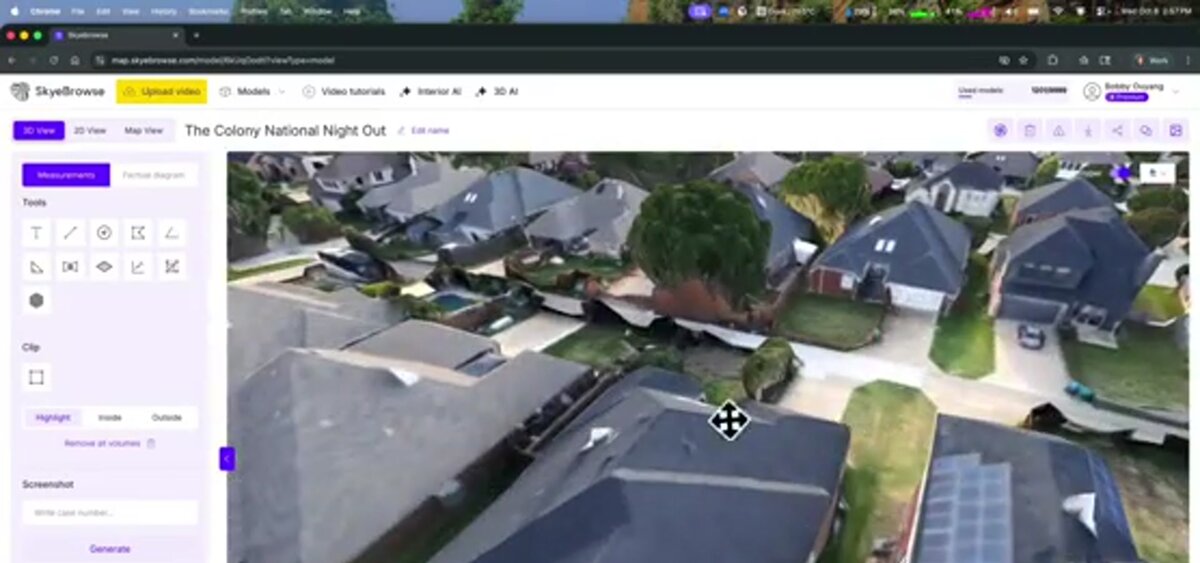
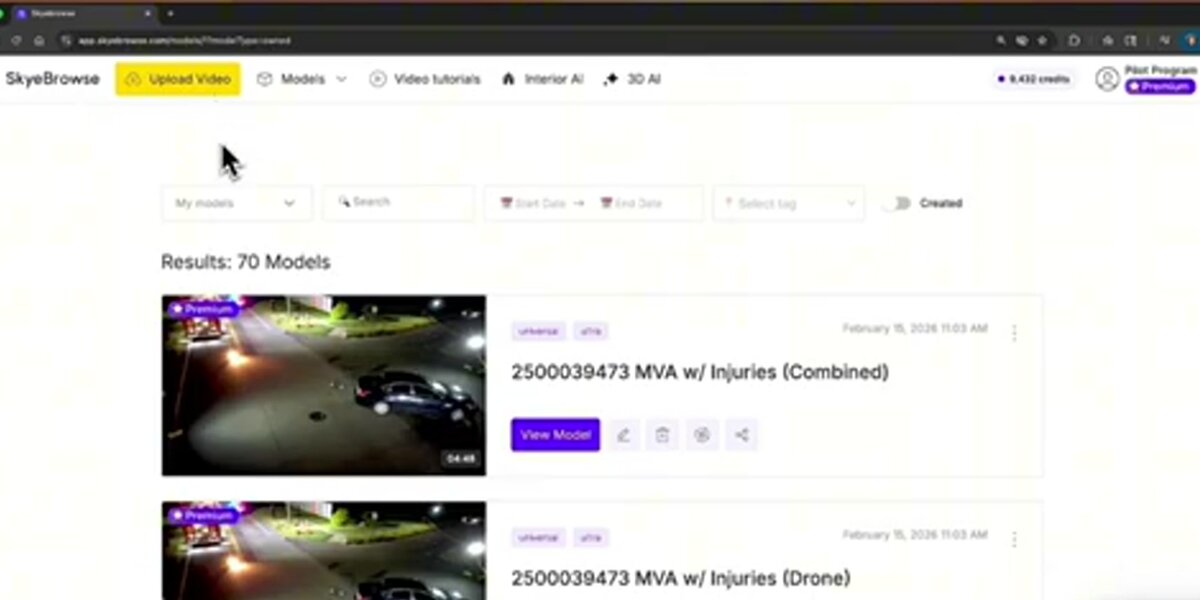
SkyeBrowse uses cloud videogrammetry to create 3D models and 2D maps from continuous video. The Flight App automates capture for supported drones and controllers, while Universal Upload accepts documented video sources from manual drone flights, phones, action cameras, 360 cameras, and body-worn cameras. Models are accessed in the browser at app.skyebrowse.com.
SkyeBrowse processes about one minute per minute of video, with most models ready in under 5 to 10 minutes after upload depending on source and connection. Commercial and Pro use 8K processing at 0.5 inch, and Public Safety & Enterprise uses 16K processing at approximately 0.1 inch with AI moving object removal, all without ground control points; flying closer raises accuracy further. SkyeBrowse videogrammetry is more accurate than photo-based photogrammetry: in an independent accuracy study by AirBorne Works (January 2021), SkyeBrowse video models came closest to Leica BLK360 laser-scan ground truth on 8 of 9 measurements, outperforming photo-based Pix4D Mapper and Leica BLK3D, with about 1 cm (0.39 inch) error at all but one location. Continuous video gives hundreds of overlapping frames of every object and complete coverage without gaps. To prove accuracy on your own job, the GCPs tool imports surveyed ground control or check points (CSV, TXT, or XYZ) and reports RMSE in X, Y, and Z, NSSDA 95% accuracy, and pass/fail against your tolerance in a PDF accuracy report, included with Pro models and Public Safety & Enterprise. Plan-dependent exports include LAZ, GLB, OBJ, USDZ, and GeoTIFF, and hosting runs on AWS GovCloud (US) with full CJIS compliance on Public Safety & Enterprise.
Best for: public safety, insurance, construction, and field teams that want a model from video during the same operation.
Honest fit note: SkyeBrowse is video-only for 3D model generation. Teams whose standard workflow begins with a large still-photo set, a local reconstruction pipeline, or a specialized indoor capture device should compare the other entries below. SkyeBrowse's strength is the video-to-model path and the browser-based review workflow.
2. Pix4D: best fit for structured photo mapping
Pix4D is a product family rather than a single workflow. PIX4Dmapper and PIX4Dmatic support photo-based mapping, PIX4Dcloud provides online processing and collaboration, PIX4Dreact focuses on rapid 2D maps for situational awareness, and PIX4Dfields targets agricultural imagery. The pricing page lists each product separately: PIX4Dmatic starts with the Analyst plan at $2,290 billed yearly, and PIX4Dmapper is listed from $333 per month (checked October 2026).
Best for: survey, construction, agriculture, and response teams that need a photo-based workflow with product-specific processing and exports.
What to verify: name the exact Pix4D product, then confirm cloud credits, desktop processing, GCP or RTK support, coordinate systems, export formats, and support in the quote. A PIX4Dmapper subscription and a PIX4Dcloud subscription solve different parts of a project.
3. Agisoft Metashape: best fit for flexible desktop photogrammetry
Agisoft Metashape is a desktop photogrammetry application with Standard and Professional editions. Its current manual documents workflows for aligning images, building dense point clouds, meshes, digital elevation models, orthomosaics, and textured models. Metashape also documents structured terrestrial and unstructured aerial laser-scan support in its current manuals.
Best for: analysts, surveyors, researchers, and service providers that want a node-locked desktop license, detailed process control, and a broad photogrammetry workflow.
What to verify: the edition, hardware, license type, camera and sensor inputs, batch or scripting requirements, and whether the organization needs a floating license or service-provider license. The vendor describes a node-locked license as transferable between machines while active on one machine at a time; terms should be read before procurement.
4. RealityScan (formerly RealityCapture): best fit for mixed image and laser-scan reconstruction
RealityScan, Epic Games' desktop reconstruction application formerly sold as RealityCapture, reconstructs models from images and laser scans. Its official help describes mixing photographs, laser scans, structured-light scanners, and depth cameras. It also documents video as an input path by creating image sequences from video.
Best for: teams creating textured models from image sets, laser scans, aerial imagery, or mixed sensor inputs in a desktop environment.
What to verify: the current product and account path, revenue threshold, operating system and GPU requirements, laser-scan formats, coordinate system, and export settings. The vendor's licensing page says free use applies to individuals, education, and businesses under $1 million in annual revenue, while businesses above that threshold buy seats at $1,250 per seat per year (checked October 2026).
5. Matterport: best fit for interior digital twins
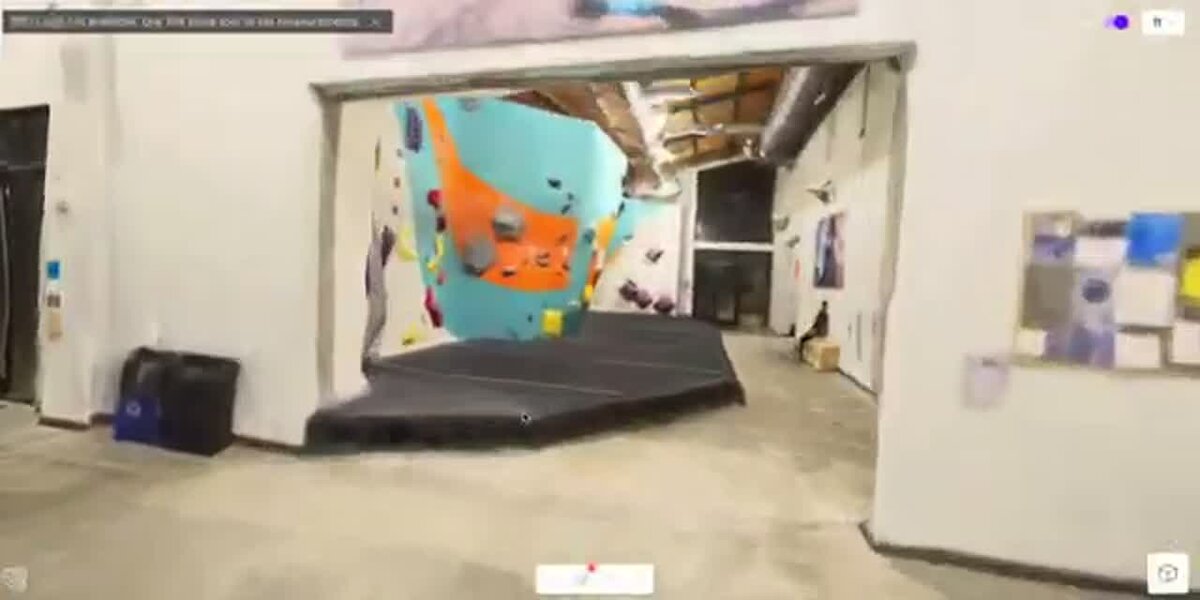
Matterport centers on indoor spaces and navigable digital twins. Its current plans support capture from phones, tablets, 360 cameras, and supported Matterport or Leica cameras, with plan-dependent access to floor plans, MatterPak technical files, BIM, CAD, E57, sharing, analytics, and collaboration.
Best for: real estate, facilities, insurance interiors, hospitality, and AEC teams that need a shareable walkthrough and room-level documentation.
What to verify: active-space count, users, camera support, floor-plan or MatterPak add-ons, archive and reactivation rules, and whether the required CAD, BIM, or E57 outputs are available on the selected plan. Matterport is an interior-first workflow, so compare it with outdoor mapping tools only after writing down the deliverable.
6. Polycam: best fit for mobile and small-area capture
Polycam supports capture from phones, compatible LiDAR devices, photos, video, 360 photospheres, and Gaussian Splats. Its current plans are Free, Basic, Business ($400 per user per year), and Enterprise ($1,200 per user per year, 3-user minimum), checked October 2026. The vendor says the Pro plan is no longer offered to new subscribers; existing Pro subscribers are treated as Legacy Pro users under the vendor's published terms.
Free includes GLTF export and limited capture. Basic is listed at $30 per month or $150 per year and adds higher capture limits and broader mesh and point-cloud exports. Business adds floor plans, advanced measurement, shared libraries, virtual walkthroughs, reports, and georeferenced point-cloud exports. Enterprise adds custom administration, privacy, support, and branding.
Best for: creators, inspectors, real estate teams, and field users who need portable capture for rooms, objects, or small areas.
What to verify: the device, capture mode, image or video limit, export format, georeferencing, and whether a team plan is needed for measurements or shared review.
7. CloudCompare: best fit for point-cloud viewing and processing
CloudCompare is a free and open-source desktop application for viewing, editing, and processing point clouds and triangular meshes. Its official presentation lists registration, resampling, scalar fields, segmentation, cloud and mesh distance, statistics, and plug-in support. The format documentation covers common point-cloud inputs such as LAS and E57 and mesh formats such as OBJ, PLY, STL, FBX, and VTK.
Best for: technical users who already have a point cloud or mesh and need inspection, comparison, registration, filtering, segmentation, measurement, or conversion.
What to verify: the input format, coordinate handling, plug-ins, hardware, and downstream export. CloudCompare is a processing and viewing layer. It does not replace a capture or reconstruction system for turning raw drone video or a photo set into a complete project.
How do these tools compare by input type?
Input coverage is the fastest way to shrink the shortlist. SkyeBrowse starts with video, Matterport starts with interior capture, Polycam starts with mobile capture, CloudCompare starts with existing 3D data, and the photogrammetry tools start with photographs or image sequences. LiDAR and 360 support varies by product and plan, so the matrix records the published workflow rather than assuming every product in a vendor family has the same inputs.
| Platform | Drone video | Drone or ground photos | LiDAR | 360 or phone capture | Primary platform |
|---|---|---|---|---|---|
| SkyeBrowse | Yes, continuous video via Flight App or Universal Upload | Photos can be attached as annotations; video is used for 3D generation | No raw LiDAR reconstruction path; video is the only 3D input | 360 video through documented upload paths; phone and action-camera video | Cloud web app |
| Pix4D | Product-specific image-sequence workflow; verify for the selected product | Yes, the core mapping workflow | PIX4Dmatic documents photogrammetry and terrestrial LiDAR workflows | Product-specific; verify the camera and product combination | Desktop and cloud products |
| Agisoft Metashape | Video can be converted into image sequences | Yes, aerial and terrestrial photographs | Current manuals document terrestrial and aerial laser-scan support | 360 images can be evaluated as image inputs; test lens and metadata handling | Desktop |
| RealityScan | Video can be added as an image sequence | Yes, including aerial, ground, and structured-light imagery | Yes, including laser scans and mixed image workflows | 360 imagery can enter as images or sequences; test the camera profile | Desktop |
| Matterport | Not an aerial video workflow | Interior imagery through supported capture devices | Supported camera and plan paths include Leica BLK360; confirm the selected plan | Phone, tablet, and 360 camera capture are central workflows | Cloud platform and mobile capture |
| Polycam | Video capture is supported within published capture limits; drone workflow is not the primary category | Photos and photogrammetry capture | Phone LiDAR and point-cloud workflows | 360 photospheres, phone capture, and compatible iOS LiDAR | Mobile apps and web |
| CloudCompare | No raw video reconstruction | Existing images can be viewed; raw photo reconstruction is outside its primary role | Yes, existing point clouds such as LAS and E57 | Existing 3D data and calibrated images can be reviewed | Windows, macOS, and Linux desktop |
The input column does not mean that every plan or product edition has the same capability. For a procurement test, upload the exact file produced by the team's camera or sensor and confirm the coordinate system, metadata, and export path before signing a contract.
What outputs and export formats does each platform support?
The output must be named before the software is chosen. A navigable interior tour, a textured mesh, a classified point cloud, an orthomosaic, an elevation model, a floor plan, and a CAD-ready file are different deliverables. It's easy to compare file names without checking whether the plan, product edition, source data, coordinate system, or add-on supports the needed export.
| Platform | Main outputs | Published or common export paths | Output fit |
|---|---|---|---|
| SkyeBrowse | 3D models, point clouds, orthomosaic maps, measurements, annotations, viewer scenes | LAZ, GLB, GeoTIFF, plus plan-dependent OBJ, USDZ, CAD, and image outputs | Fast review and measured scene documentation from video |
| Pix4D | Orthomosaics, point clouds, 3D models, DSM or terrain products, maps, and reports | Product-specific raster, point-cloud, mesh, CAD, GIS, and report exports | Structured photo mapping, survey, agriculture, and response |
| Agisoft Metashape | Dense cloud, mesh, textured model, DEM or DSM, orthomosaic, and reports | Common raster, point-cloud, mesh, camera, and project exports | Desktop control over photogrammetry stages and deliverables |
| RealityScan | Textured meshes, point clouds, orthophotos, DSMs, contours, reports, and depth products | Customizable point-cloud, ortho, contour, control-point, report, and mesh exports | Mixed image and laser-scan reconstruction |
| Matterport | Interactive digital twin, views, schematic floor plans, MatterPak files, and technical files | Plan-dependent CAD, BIM, E57, MatterPak, floor-plan, image, and share-link outputs | Interior documentation and remote walkthroughs |
| Polycam | Meshes, Gaussian Splats, floor plans, measurements, scenes, and point clouds | Free GLTF; Basic adds OBJ, FBX, DAE, USDZ, STL, PLY, LAS, PTS, XYZ, and DXF; Business adds georeferenced LAS and custom 3D file creation | Portable object, room, and small-area capture |
| CloudCompare | Edited, registered, sampled, segmented, measured, or compared point clouds and meshes | BIN, LAS, E57, PLY, OBJ, STL, FBX, VTK, DXF, GeoTIFF, and other documented formats | Technical cleanup, comparison, inspection, and conversion |
SkyeBrowse's LAZ export is a point cloud, GLB is a textured 3D mesh format, and GeoTIFF is a georeferenced raster format. A downstream GIS or CAD team should confirm whether it needs a point cloud, a mesh, an orthomosaic, a DSM, a DTM, vector linework, or a report. SkyeBrowse creates DSM outputs; DTM or linework work takes place in third-party software after export when required.
How much does 3D mapping software cost in 2026?
The price range runs from free desktop software to annual subscriptions and enterprise agreements. The cost unit matters as much as the number: a model credit, an active space, a seat, a perpetual license, a monthly subscription, or local infrastructure. The table records public vendor prices re-checked on October 14, 2026 and leaves quote-only products marked as quote-only.
Pricing snapshot, October 2026 (Matterport as of July 2026). These are vendor-published starting points. Confirm taxes, region, annual billing, storage, processing credits, add-ons, and support before purchase.
| Platform | Free or entry path | Published paid price | Pricing notes |
|---|---|---|---|
| SkyeBrowse | Freemium is free; first full model $5 for eligible new organizations | Commercial $24.99 per model; Pro $49.99 per model; Public Safety & Enterprise $199 per model | Paid plans price completed models; Commercial and Pro include up to 5 users and Public Safety & Enterprise includes unlimited users |
| Pix4D | Free trial | PIX4Dmatic Analyst $2,290/year (Standard $3,990, Pro $4,990); PIX4Dmapper listed from $333/month; PIX4Dreact from $55/month | Product-specific cloud credits, desktop processing, and support terms apply |
| Agisoft Metashape | Demo and education options | Standard Edition $179 one time; Professional Edition $3,499 one time | Node-locked licenses are not time-limited; floating and service-provider options use separate terms |
| RealityScan (formerly RealityCapture) | Free for individuals, education, and businesses under $1 million annual revenue | $1,250 per seat per year above the threshold | Includes all features and a year of updates; 25+ seats by quote |
| Matterport | Free plan with 1 Active Space and 2 users | Starter from $12/month on annual billing in the current purchase flow; higher tiers scale by Active Spaces | Floor plans, MatterPak, CAD, BIM, E57, cameras, users, and reactivation can add cost |
| Polycam | Free plan | Basic $30/month or $150/year; Business $33/month or $400/year per user; Enterprise $1,200/year per user (3-user minimum) | The vendor says Pro is discontinued for new subscribers; legacy Pro accounts have separate terms |
| CloudCompare | Free and open source | No paid software tier listed | GPL-licensed desktop applications; budget for hardware, storage, and technical labor |
The price table should be read with the input and output matrices. A $0 tool can still require a capable computer and a specialist. A cloud subscription can include collaboration and storage while charging separately for active spaces, credits, or technical files. A perpetual license can reduce recurring software cost while shifting more responsibility to local hardware and maintenance.
Which 3D mapping software fits each workflow?
Choose by environment first, then by input, output, and accuracy; outdoor site mapping usually favors drone or aerial imagery. Interior documentation favors Matterport or phone and 360 workflows. Small objects favor Polycam or photogrammetry tools. Existing point clouds favor CloudCompare, while mixed image and laser-scan projects favor RealityScan or a comparable desktop processor.
| Workflow | First questions | Tools to shortlist | Pilot evidence |
|---|---|---|---|
| Outdoor site or structure | How large is the area, and is the input video, photographs, or LiDAR? | SkyeBrowse for video; Pix4D or Metashape for photos; RealityScan for mixed sensors | Capture time, model coverage, scale, coordinate system, exports, and repeatability |
| Interior digital twin | Does the client need a navigable tour, floor plan, measurements, CAD, BIM, or E57? | Matterport; Polycam for smaller or mobile-first work; RealityScan for a custom desktop pipeline | Room coverage, floor-plan accuracy, share permissions, file delivery, and active-space cost |
| Object or small-area scan | Is the subject portable, and does the team have compatible phone LiDAR or enough photographs? | Polycam, Metashape, RealityScan, or CloudCompare after reconstruction | Capture limit, texture quality, mesh cleanup, scale, and target export |
| Survey or engineering model | What coordinate system, GCP or RTK process, checkpoint, report, and professional standard apply? | SkyeBrowse, Pix4D, Metashape, RealityScan, CloudCompare, and the relevant sensor workflow | Control points, quality report, residuals, coordinate reference, and downstream CAD or GIS import |
| Existing point-cloud review | Is the data already registered, and does the team need comparison, segmentation, measurement, or conversion? | CloudCompare first; RealityScan or Metashape when a reconstruction or mixed-sensor step remains | Registration, cloud-to-cloud or cloud-to-mesh comparison, scalar fields, and export integrity |
| Public safety or insurance scene | How quickly must the team capture, review, measure, retain, and share the scene? | SkyeBrowse for video-first documentation; Pix4D or Metashape for photo workflows; Matterport for interiors | Incident workflow, model access, annotations, evidence retention, exports, and plan security |
For drone-specific site workflows, the 3D drone mapping guide and the UAV mapping software guide cover adjacent intent. This page keeps the ranking broad so indoor, mobile, terrestrial, and cloud tools remain visible.
What should you test before choosing a tool?
Use the same scene, source files, user roles, and final deliverable that the team will use after purchase. Test the full path from capture or import through processing, review, measurement, export, and retention. Repeat the test with a second operator so the result reflects a workflow rather than one expert's setup.
- Input: Can the platform ingest the exact drone video, photo set, LiDAR file, 360 capture, or phone scan your team produces?
- Capture: Does the recommended capture pattern fit the environment, lighting, movement, overlap, and operator skill?
- Processing: What is the vendor's published processing expectation, and what are the file, image, video, memory, or credit limits?
- Accuracy: Which measurements are relative, which coordinates are absolute, and what GCP, RTK, PPK, scale, or checkpoint process is required?
- Output: Can the next system open the exact mesh, point cloud, raster, CAD, BIM, E57, floor plan, or report the team needs?
- Review: Can field users and stakeholders navigate, measure, annotate, compare, and share the model on their real devices?
- Operations: Confirm storage, roles, audit logs, data retention, account recovery, support, and the effect of a canceled plan.
- Cost: Project a year of real usage, including software, model credits, active spaces, hardware, storage, exports, training, and labor.
When was this guide updated?
This guide was first published April 8, 2026 and updated on October 14, 2026, when vendor pricing pages were re-checked (Matterport pricing as of July 14, 2026) and the what-is-3D-mapping and how-to-create-a-3D-map sections were added. SkyeBrowse facts match its published plans.
Related Guides
For drone-specific capture, these guides go deeper than this platform-agnostic ranking:
- Drone mapping guide: the educational pillar on how drone mapping works, capture methods, accuracy, and cost.
- Drone mapping software: how to choose a drone mapping platform, pricing models, and a feature checklist.
- UAV mapping software: the enterprise and government procurement angle on UAV mapping platforms.
- 3D drone mapping: the site-scale drone 3D workflow, covering point clouds, meshes, and orthomosaic outputs.
FAQ
What is 3D mapping?
3D mapping is the process of capturing a real place or object and turning it into a measurable three-dimensional digital model, such as a point cloud, textured mesh, or elevation model, tied to real-world scale and often to GPS coordinates. Data comes from drone or phone video, overlapping photos (photogrammetry), or laser scanning (LiDAR), and 3D mapping software processes it into a model you can measure, annotate, and share.
How do you create a 3D map?
Plan the area and deliverable, capture overlapping coverage with a drone, phone, camera, or LiDAR scanner, process the data in 3D mapping software to build a point cloud and mesh, georeference and check scale against a known measurement, then measure, annotate, and export the model. With SkyeBrowse, capture is a continuous video and processing takes about one minute per minute of video in the cloud.
Is there free 3D mapping software?
Yes. CloudCompare is free and open source for viewing and processing point clouds and meshes, OpenDroneMap is free for processing drone photos into maps and 3D models, and RealityScan is free for businesses under $1 million in annual revenue. SkyeBrowse has a free Freemium tier with unlimited uploads and basic tools, and Matterport and Polycam offer free plans with limits.
What is the best 3D mapping software overall?
It depends on the input and deliverable. SkyeBrowse fits outdoor video-first mapping, Pix4D and Agisoft Metashape fit photo-based reconstruction, RealityScan (formerly RealityCapture) combines images and laser scans, Matterport fits interior digital twins, Polycam fits mobile capture, and CloudCompare fits point-cloud review and processing.
Can I do 3D mapping with just a phone?
Yes. Matterport and Polycam both support phone-based capture, and compatible iPhone or iPad devices can contribute LiDAR data to supported workflows. Phone capture is practical for rooms, objects, and small areas; larger sites require a capture method and platform designed for the coverage and deliverable.
What is the difference between 3D mapping and 3D scanning?
3D scanning usually describes collecting geometry with a LiDAR, depth, or structured-light sensor. 3D mapping usually adds spatial reference and often covers a larger outdoor area. The terms overlap, so compare inputs, coordinate systems, outputs, and review requirements.
How accurate is 3D mapping software?
Accuracy depends on the sensor, capture geometry, control points, coordinate system, processing settings, and deliverable. SkyeBrowse documents accuracy tiers for its plans, while other vendors publish product or workflow specifications rather than one universal number. SkyeBrowse videogrammetry is more accurate than photo-based photogrammetry: in an independent AirBorne Works study, SkyeBrowse video models were closest to the laser-scan ground truth on 8 of 9 measured lines, ahead of Pix4D Mapper and Leica BLK3D. Use the vendor's conditions and the required professional standard to design a project-specific test.
What is the best 3D mapping software for construction?
For construction, shortlist the tool around the site capture and downstream coordination workflow. DroneDeploy and Propeller emphasize recurring site documentation and earthwork context; Pix4D, Metashape, and RealityScan provide photo or mixed-sensor processing; SkyeBrowse fits video-first site snapshots; CloudCompare helps inspect or compare existing point clouds.
Upload your first video free. Create a free SkyeBrowse account, upload a drone video, and get a 3D model processed in the cloud. Freemium organizations that have never had a paid plan can get their first full model for $5 (normally $24.99), with every Pro tool and export included and 90-day storage.